Buyer checklist | Architecture, security and delivery
React Admin Dashboard Development: Architecture, Security and Cost Checklist
A practical 2026 planning guide for businesses replacing spreadsheets, disconnected tools or a legacy operations system with a secure React interface and an API-led backend.
The short answer
A dashboard becomes a business system when it changes work, records decisions and controls access. The interface is only one layer of the scope.
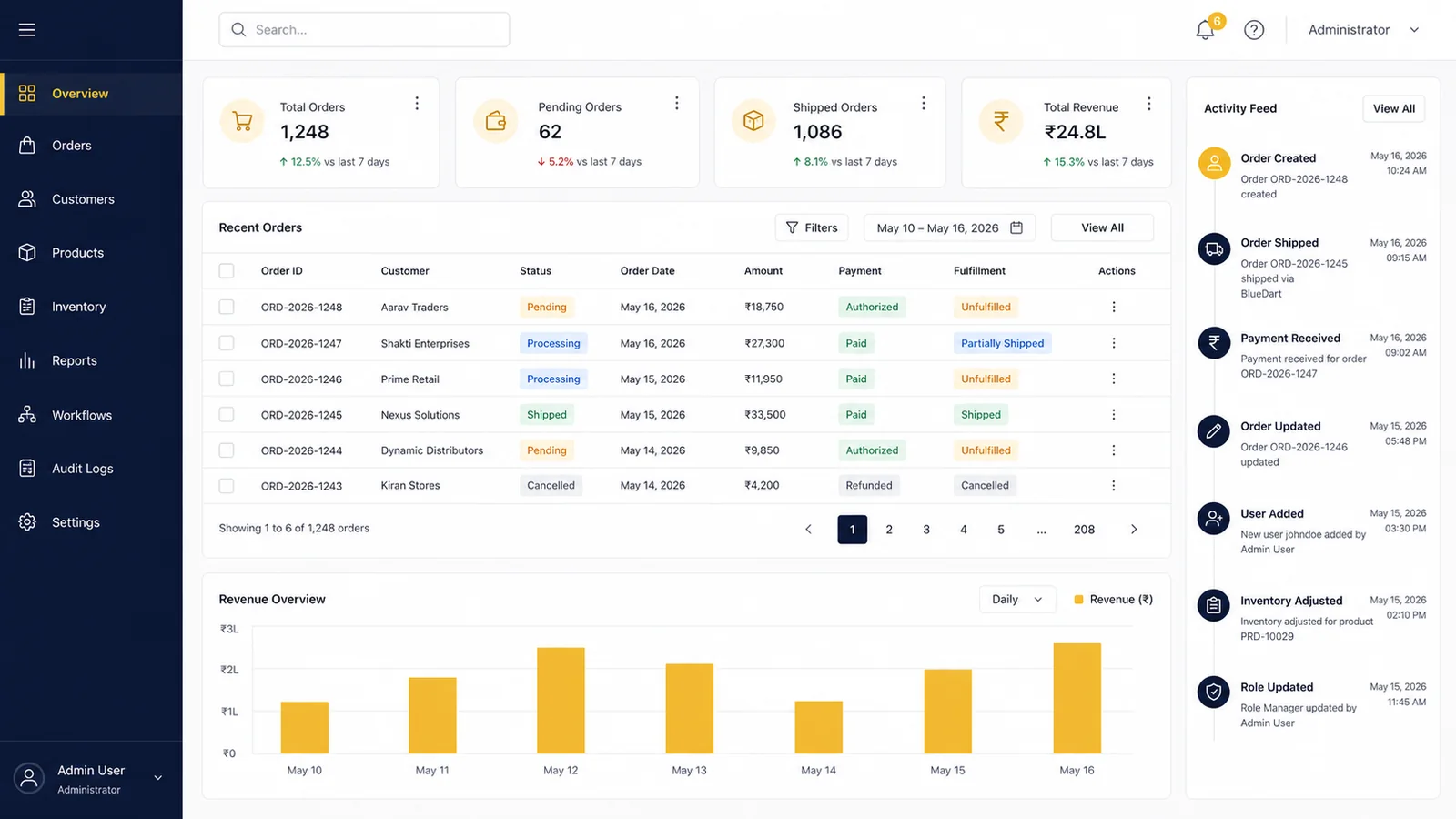
A production React admin dashboard should be planned around users, permissions, workflows, data ownership, API contracts, audit records, exception states and deployment controls.
React is well suited to interactive, state-heavy interfaces. The backend must still enforce every sensitive permission, validate every write and create trustworthy records of important actions. A polished screen without those controls is a prototype, not an operational platform.
When a custom dashboard is the right investment
The strongest business case is a repeated workflow with costly handoffs, inconsistent data or weak accountability.
Good reasons to build
- Teams maintain the same operational truth across several spreadsheets.
- Managers cannot see approvals, exceptions or ownership in one place.
- Existing software cannot represent a differentiated business process.
- Customers, vendors and staff need different controlled views of the same data.
- Manual reports consume time and still arrive too late for decisions.
Reasons to configure before building
- The workflow is standard and a mature SaaS product already covers it.
- The process changes every week and no accountable owner can approve rules.
- There is no usable source data or migration decision.
- The project is expected to fix policy, training and data quality without operational change.
- The first release contains every possible report instead of one measurable workflow.
Six architecture decisions to make before UI production
These decisions reduce rework because they define what the interface may show, change and trust.
Workflow boundary
Name the event that starts the process, each approval or exception, and the event that makes the workflow complete. Do not model screens before the state transitions are understood.
Role model
Separate role names from permissions. A permission matrix should cover view, create, edit, approve, export, delete and administrative actions for each resource.
System of record
Choose which database or upstream platform owns each important field. Define conflict handling before synchronising data from CRM, ERP, payment or messaging systems.
API contract
Document request, response, validation, pagination, filters, error codes and versioning. React should render a stable contract, not compensate for changing backend behaviour.
Audit and retention
Decide which actions need who, what, when and before-after evidence. Define retention, export and access rules with the business owner before development.
Release and recovery
Plan staging, test data, migrations, monitoring, backup, rollback and ownership of production credentials. Handover starts at architecture, not after launch.
Interactive dashboard scope planner
Select the operational shape. The result is a discovery direction, not a fixed quotation or security certification.
Reference architecture for a maintainable dashboard
The exact stack should follow the product constraints. These boundaries are more important than a fashionable library list.
| Layer | Primary responsibility | Acceptance evidence |
|---|---|---|
| React interface | Component hierarchy, accessible interaction states, routing, form behaviour and predictable client state. | Responsive component tests, keyboard path, loading, empty, error and permission-denied states. |
| API contract | Stable resource shapes, validation, pagination, filters, errors and backwards-compatible changes. | Versioned API documentation and automated contract or integration tests. |
| Authorization | Server-side enforcement of resource and action permissions. UI hiding is never the security boundary. | Permission matrix plus positive and negative authorization tests. |
| Data and jobs | Transactions, tenant boundaries, migrations, imports, exports and queued work. | Migration rehearsal, reconciliation report, failed-job recovery and data ownership map. |
| Observability | Application logs, audit events, error tracking, performance signals and alert ownership. | Production runbook, alert route and tested recovery actions. |
| Delivery controls | Staging, automated checks, release approval, secrets, backup and rollback. | Deployment checklist, access register, backup test and handover inventory. |
Security and audit checklist
Use the checklist to define verifiable requirements. It does not claim OWASP certification or replace a risk assessment.
- Authentication method, session rules, account recovery and administrative MFA are documented.
- Every sensitive backend action is covered by a gate, policy or equivalent server-side authorization rule.
- Tenant or organisation boundaries are tested for cross-account reads, writes, exports and file access.
- Inputs are validated on the server and outputs are encoded for their rendering context.
- Rate limits protect login, password recovery, expensive searches, exports and public APIs.
- Audit records capture actor, action, resource, timestamp and relevant before-after values.
- Sensitive values are excluded from browser logs, URLs, analytics payloads and routine application logs.
- Backups, encryption keys, production credentials and third-party tokens have named owners.
- Dependency updates and security advisories have an operating cadence after launch.
- Security tests include denied actions and cross-role access, not only successful user journeys.
Security planning reference: OWASP Application Security Verification Standard 5.0.0. Laravel provides current guidance for gates and policies, rate limiting and logging.
UX and accessibility acceptance criteria
An operations interface must stay usable when the data is incomplete, the screen is narrow or the user does not use a mouse.
- Primary workflows can be completed with keyboard input and visible focus.
- Tables have usable narrow-screen alternatives, controlled scrolling or task-specific summaries.
- Loading, empty, error, partial and permission-denied states are designed before QA.
- Form errors identify the field and explain how to correct it without relying on colour alone.
- Touch targets, sticky controls and dialogs do not obscure focused content.
- Charts include readable values or a data-table alternative for important decisions.
- Filters and pagination preserve context when a user opens a record and returns.
- Important status changes are exposed to assistive technology as status messages.
React’s official guidance recommends decomposing interfaces into components and keeping the application state minimal but complete: Thinking in React. Accessibility criteria should be planned against the current WCAG 2.2 Recommendation.
What drives React dashboard cost
Screen count is a weak estimator. Workflow rules, permission depth, data quality and integrations usually create more delivery risk.
| Cost driver | Lower-complexity shape | Higher-complexity shape |
|---|---|---|
| Workflow | One owned sequence with few exceptions. | Several teams, branching approvals, escalations and reversible actions. |
| Permissions | Two or three stable roles. | Resource-level, tenant-level or conditional permissions with delegated administration. |
| Data | Clean managed database and limited import. | Legacy migration, reconciliation, duplicates, historical records or real-time feeds. |
| Integrations | One documented service with reliable test access. | Several third parties, webhooks, payment flows or unclear legacy APIs. |
| Reporting | Operational totals and simple export. | Complex filters, scheduled reports, large exports and row-level visibility rules. |
| Assurance | Standard business controls and routine QA. | Formal audit evidence, regulated data, penetration testing or strict availability targets. |
For current QTC planning bands and a broader Laravel, React and SaaS estimator, use the custom web application cost and scope guide. A written quote should follow discovery of the actual users, workflows, integrations and acceptance criteria.
A delivery sequence that protects the budget
Approve decisions and test evidence in small increments. Do not wait until the final week to discover permission or data problems.
Discovery
Workflow map, role matrix, data inventory, integrations, risks and measurable release boundary.
Contract and prototype
API contract, key screen states, clickable workflow and acceptance scenarios.
Incremental build
Vertical workflow slices with server authorization, tests and staging reviews.
Launch and handover
Migration, production controls, monitoring, documentation, training and warranty scope.
What a professional proposal should make explicit
Use these points to compare vendors on delivery evidence instead of headline price alone.
- Named first-release workflows and features deliberately deferred.
- User roles, permission assumptions and ownership of approval decisions.
- Integrations, API dependencies, test accounts and client responsibilities.
- Migration volume, cleansing responsibility, rehearsal and reconciliation.
- Acceptance criteria, browser/device matrix and defect-severity handling.
- Repository, hosting, analytics, source code and production-account ownership.
- Security testing boundary, backup, rollback and incident-response ownership.
- Milestones, payment triggers, change-control method, warranty and support options.
Operational checklist only. Contract, privacy, regulatory and security obligations should be reviewed by appropriately qualified advisers for the organisation and market involved.
Relevant QTC delivery context
A useful reference should explain the business workflow and identify what the development team actually delivered. QTC’s HiringHouseHelp employer and candidate portal documents distinct user journeys; the DumbellBox subscription website project documents meal choices and delivery preferences. QTC has confirmed website and Laravel-related custom work for both.
These are relevant workflow examples, not evidence that either project uses React or implements every admin, permission or security control in this checklist. For a dashboard engagement, request a scoped technical walkthrough and agree the acceptance tests for your own roles and data.
The Wosetech B2B SaaS website record separately documents responsive website, UI/UX and product-communication work. It does not claim delivery of every underlying SaaS module.
Compare the documented project selection, request a Laravel and React scope review, or plan a SaaS MVP. Share the workflow, users and integrations; confidential technical material can be reviewed through an agreed process.
Frequently asked questions
Concise answers for buyers comparing a custom dashboard with standard software or a broader SaaS build.
Should an admin dashboard use React?
React is a strong option when the interface has several interactive states, reusable components and API-driven workflows. A simpler server-rendered interface may be more efficient for a small, low-interaction back office. The workflow should choose the architecture.
Can React enforce user permissions?
React can adapt what the interface displays, but it must not be the security boundary. The backend must authorize each sensitive resource and action. UI controls and server policies should be tested together.
How long does dashboard development take?
A focused internal workflow may fit a 4-6 week planning band. Several roles, integrations, migration, multi-tenancy or higher assurance can require 9-14 weeks or phased releases. These are planning directions, not fixed commitments.
Can an existing spreadsheet workflow be migrated?
Yes, after identifying owners, duplicate records, field definitions, historical requirements and reconciliation rules. Migration should be rehearsed with representative data before launch.
What should be included in dashboard handover?
Source repository, deployment process, environment inventory, credentials ownership, API documentation, migration records, tests, backup and rollback steps, monitoring route and support boundaries should all be explicit.
Bring one difficult workflow
Share the users, current tools, approval path, integrations and failure points. QTC will recommend a focused scope workshop, paid discovery sprint or phased Laravel and React build.